CGTrader and Korvix3D are not really competing for the same thing, even though they both give you access to 3D assets. One is a marketplace where you buy specific models at individual prices, accumulating a library one purchase at a time. The other is a subscription where a flat monthly fee covers your entire asset workflow across every major 3D application you use. The models are different enough that comparing them directly requires being specific about what you actually spend, how you actually work, and what you are actually getting for your money.
That specificity is what most comparisons skip. This one doesn't.
What CGTrader Actually Is

CGTrader is one of the oldest and largest 3D model marketplaces online, with a library that stretches into the millions of models across every imaginable category. It operates primarily on a per-asset purchase model: you search, you find something you need, you buy it, you download it. Creator earnings run at 70 to 80 percent of the sale price depending on exclusivity arrangements, which is one of the higher rates in the per- asset marketplace world.
The library's breadth is CGTrader's main strength. With millions of models submitted by creators from around the world, you can find niche and specific assets on CGTrader that simply don't exist on smaller or more curated platforms. If your project needs something unusual, something hyper-specific, or something that belongs to a category too small to be well-covered by a subscription library, CGTrader is often the place to look.
The library's breadth is also, in a different sense, its main weakness. Open submission with light moderation produces enormous volume and enormous quality variance in roughly equal measure. For every genuinely production-ready asset on CGTrader, there are many that look acceptable in the thumbnail and reveal problems on import: overlapping UVs, texture paths that don't resolve, scale that puts a chair at the size of a building, materials that arrive as flat grey in every renderer. Finding good assets requires time and experience, and even experienced artists get burned occasionally.
The Math: What You Actually Spend
This is where the comparison gets concrete, and concrete is where the subscription model makes its strongest case.
Assume you are a working 3D artist who needs assets regularly. Not constantly, but consistently, across multiple projects through the year. Let's say an average of eight to twelve assets per month, which is modest for anyone running multiple projects simultaneously or working in archviz, game development, or motion design where scene population requires a lot of varied assets.
Scenario A: Buying on CGTrader

The average price of a quality 3D model on CGTrader, taking the full range from simple props to complex vehicles and characters, lands somewhere between $20 and $60 per asset. Using a conservative $30 average for the kind of production-ready assets a professional would actually use:
8 assets per month: $240
10 assets per month: $300
12 assets per month: $360
Annual spend at 10 assets per month: $3,600
That is before accounting for the time spent browsing, evaluating, downloading, importing, fixing material issues, and dealing with scale problems. That time has a cost too, even if it doesn't appear on an invoice.
Scenario B: Subscribing to Korvix3D
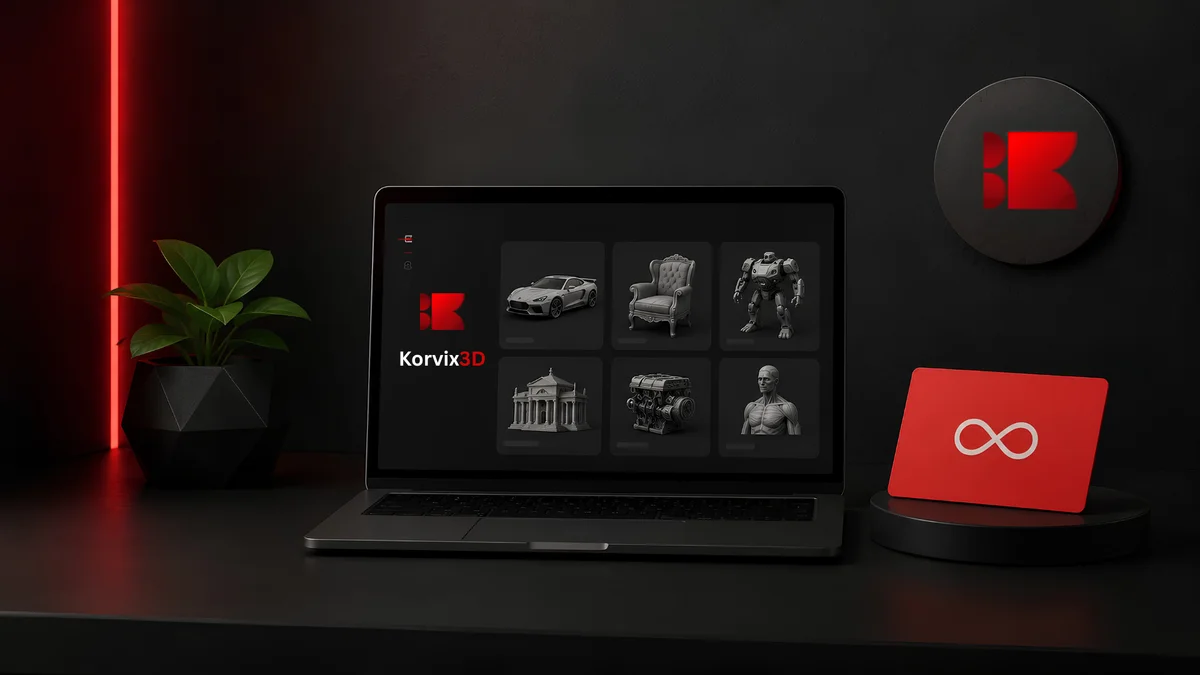
Korvix3D Pro at $12 per month (90 assets/month), or $129 per year on annual billing.
Korvix3D Plus at $25 per month (200 assets/month), or $240 per year on annual billing.
At 10 assets per month, the Pro subscription covers your usage comfortably and costs $129 for the year versus $3,600 in per-asset purchases. That is a saving of $3,471 on the same volume of assets, or roughly 96 cents saved for every dollar spent on CGTrader at that usage level.
The math does not get closer as usage increases. It gets more lopsided. At 20 assets per month, CGTrader costs $7,200 annually. Korvix3D Pro still covers that volume at $129 per year. The subscription saving is $7,071 per year. Heavy users going beyond 90 assets a month move to Korvix3D Plus at $240 annually, which still saves $6,960 per year compared to buying the same volume at $30 per asset on CGTrader.
The one scenario where CGTrader costs less is very low usage: one or two assets per month where the per-asset spend doesn't reach the subscription cost. Below roughly three assets per month, per-asset purchasing can cost less than a subscription. Above that threshold, the subscription wins by a margin that grows with every additional asset.
The Quality Question: Open Submission vs Curated Library

Price is only part of the comparison. What you are getting for that price matters too, and the quality stories of the two platforms are genuinely different.
CGTrader's submission process is relatively open. Creators upload assets, a review team checks for obvious technical failures, and the asset goes live. This process catches broken files and missing textures at a basic level but does not deeply evaluate topology quality, UV mapping efficiency, texture accuracy, or whether the asset is genuinely production-ready in the ways that matter to professionals.
The result is a library where quality is entirely asset-specific. Some of CGTrader's best assets are genuinely excellent, produced by skilled professionals who use the platform for its creator economics. Others are uploaded by beginners or by creators optimizing for quantity over quality. The thumbnail doesn't reliably tell you which category a specific asset falls into, which is why experienced CGTrader users develop the habit of checking wireframes, reading reviews, and sometimes buying assets that turn out to be unusable.
Korvix3D's quality system works differently. Creator earnings are weighted by an Effort Rating Factor that combines admin quality ratings at 60% weight and user reviews at 40%. An asset that earns a poor quality rating generates less income per download than one that earns a high rating. This creates a direct financial incentive for quality that CGTrader's per-asset model doesn't produce. On CGTrader, a mediocre asset with a good thumbnail can outsell an excellent asset with a plainer presentation. On Korvix3D, the platform's economics actively work against that dynamic.
This does not mean every asset on Korvix3D is perfect and every asset on CGTrader is problematic. It means the structural incentives that shape the library over time favor quality more consistently on Korvix3D than on an open per-asset marketplace.
Workflow: Where the Real Time Is Lost
The cost comparison above counts only the money. It doesn't count the time, and time in a professional workflow has a real dollar value.
CGTrader's workflow for every asset looks like this: search the marketplace in a browser, evaluate options, purchase, download a zip file, unzip it, locate the asset files, open your 3D application, open the import dialog, select the file format, import, discover that the scale is wrong or the textures are missing or the materials need rebuilding for your renderer, fix those issues, and then finally use the asset in your scene.
That process takes anywhere from five minutes on a clean, well-prepared asset to thirty or forty minutes on one that arrives with material and scale problems. Multiply that by the number of assets in a typical scene and the workflow cost becomes significant. In a scene that needs thirty assets, even a conservative ten minutes per asset adds up to five hours of import and cleanup work before you have done any of the actual creative work the scene requires.
Korvix3D's workflow eliminates most of those steps. The bridge plugin sits inside Blender, Maya, 3DS Max, Cinema4D, Unity, or Unreal Engine as a native panel. You browse the library, click an asset, and it arrives in your scene correctly scaled, with materials configured for your renderer, textures intact. The round trip from wanting an asset to having it in your scene takes roughly the same time it takes to click through a thumbnail preview.
For a professional whose time has a real hourly value, the workflow difference between these two platforms is not a minor convenience. It is a meaningful productivity difference that compounds across every asset in every project.
Where CGTrader Still Makes Sense
Being honest about this matters because it keeps the comparison useful rather than promotional.
CGTrader's depth in niche and unusual categories is genuine and hard to match. Subscription libraries prioritize common, high-demand categories because those are the assets that justify the investment of a creator's time. For the long tail of specific, unusual, or highly specialized assets, CGTrader's massive library is often the only source. A specific industrial machine, an obscure architectural detail, a hyper-realistic version of a branded consumer product: if it exists anywhere as a 3D model, CGTrader is likely to have it.
For artists who need very specific assets infrequently, the per-asset model also makes economic sense. If you need two or three assets per quarter for occasional personal projects, a monthly subscription costs more than those few purchases would. The subscription math only favors the buyer above a certain usage volume.
CGTrader's creator payout rate of 70 to 80 percent of the sale price is also among the most generous in the per-asset world for high-value specialized assets. A creator selling a complex $200 character rig earns $140 to $160 from a single sale. The per-asset model works well for creators selling high-price specialized work, even if the subscription pool model is better for creators building a library of broad-appeal assets.
For everything outside these specific use cases, the subscription model is cheaper, faster, and produces fewer import headaches.
This comparison has a different answer depending on what you create and how you build your income.
CGTrader's 70 to 80 percent payout rate sounds extremely favorable, and for a creator selling high-value specialized assets, it is. If you build a $150 vehicle model and sell it ten times a month, CGTrader's economics are strong for that specific asset.
The problem is that CGTrader's per-asset model doesn't produce passive recurring income in the same way a subscription pool does. Each sale is transactional. When downloads stop, income stops. There is no monthly recurring element to the earnings, no compounding effect as the library grows, no income from assets you uploaded two years ago except when someone happens to find and purchase them.
Korvix3D's creator pool distributes 70% of subscription revenue monthly across all creators based on download performance, weighted by the effort rating quality score. An asset uploaded two years ago that is still being downloaded earns every month, regardless of whether the creator is actively producing new work. As the platform's subscriber base grows, the pool grows, and all creators benefit from that growth without needing to generate new sales individually.
The Verified Badge system adds another dimension CGTrader doesn't offer. Gold badge holders earn approximately 1.25 times more per download than standard creators. Diamond badge holders earn approximately 1.5 times more. This earnings multiplier, combined with the recurring nature of subscription pool income, makes the long-term earnings trajectory on Korvix3D more favorable than CGTrader for creators building a library rather than selling individual high-value assets.
The Verdict
For artists who source assets regularly, the subscription model is not slightly cheaper than per-asset purchasing on CGTrader. It is dramatically cheaper at any meaningful volume, and the workflow advantage of native software integration makes it faster at every step between finding an asset and using it in a scene.
CGTrader's library breadth is real and valuable for specific use cases. For unusual, niche, or highly specialized assets that don't exist in a subscription library, it is often the right source. The right approach for most professional artists is a Korvix3D subscription as the primary library covering the broad majority of everyday asset needs, with CGTrader as a supplementary source for the specific assets that fall outside what any subscription library covers.
Using CGTrader as a primary source rather than a supplementary one, paying per-asset prices for assets you use regularly, is simply a more expensive way to do the same thing a subscription does better.
See Korvix3D plans and pricing → https://korvix3d.com/pricing
Explore the bridge plugin for your software → https://korvix3d.com/download#blender
Frequently Asked Questions
Is Korvix3D cheaper than CGTrader? At any regular usage volume, yes, significantly. CGTrader charges per asset, typically $20 to $60 or more per model. Korvix3D's Pro plan at $12 per month covers up to 90 assets per month, and the Plus plan at $25 per month covers up to 200. At eight or more assets per month, the annual saving compared to buying the same volume on CGTrader runs into hundreds or thousands of dollars.
Does CGTrader have a subscription option? CGTrader's primary and most well-known model is per-asset purchasing. For regular users who need assets consistently, this model accumulates costs quickly compared to a flat subscription fee.
Can I use CGTrader assets in commercial projects? Most CGTrader assets are sold under a Royalty Free license that covers commercial use. Always verify the specific license on each asset before using it commercially, as terms can vary between individual listings and some assets have restrictions on certain types of commercial use.
What does CGTrader do better than Korvix3D? Library breadth in niche and specialized categories. CGTrader's open submission model produces an enormous volume of assets across highly specific categories that smaller, more curated libraries don't cover. For unusual or highly specialized assets that don't exist in subscription libraries, CGTrader is often the best source. It works best as a supplementary source for those edge cases rather than as a primary asset platform.
Does Korvix3D integrate with Unity and Unreal Engine like it does with Blender and Maya? Yes. Korvix3D has native bridge plugins for Unity and Unreal Engine alongside Blender, Maya, 3DS Max, and Cinema4D. Assets import directly into engine projects with materials configured for each engine's render pipeline. CGTrader has no software or engine integration of any kind.
How does the quality compare between Korvix3D and CGTrader? CGTrader's quality varies significantly because submissions are relatively open. Production-ready assets exist alongside lower-quality uploads, and the thumbnail doesn't always accurately represent which category an asset falls into. Korvix3D's effort-weighted creator payout financially incentivizes quality: assets with higher quality ratings earn more per download, which shapes what creators build and what stays prominent in the library over time.
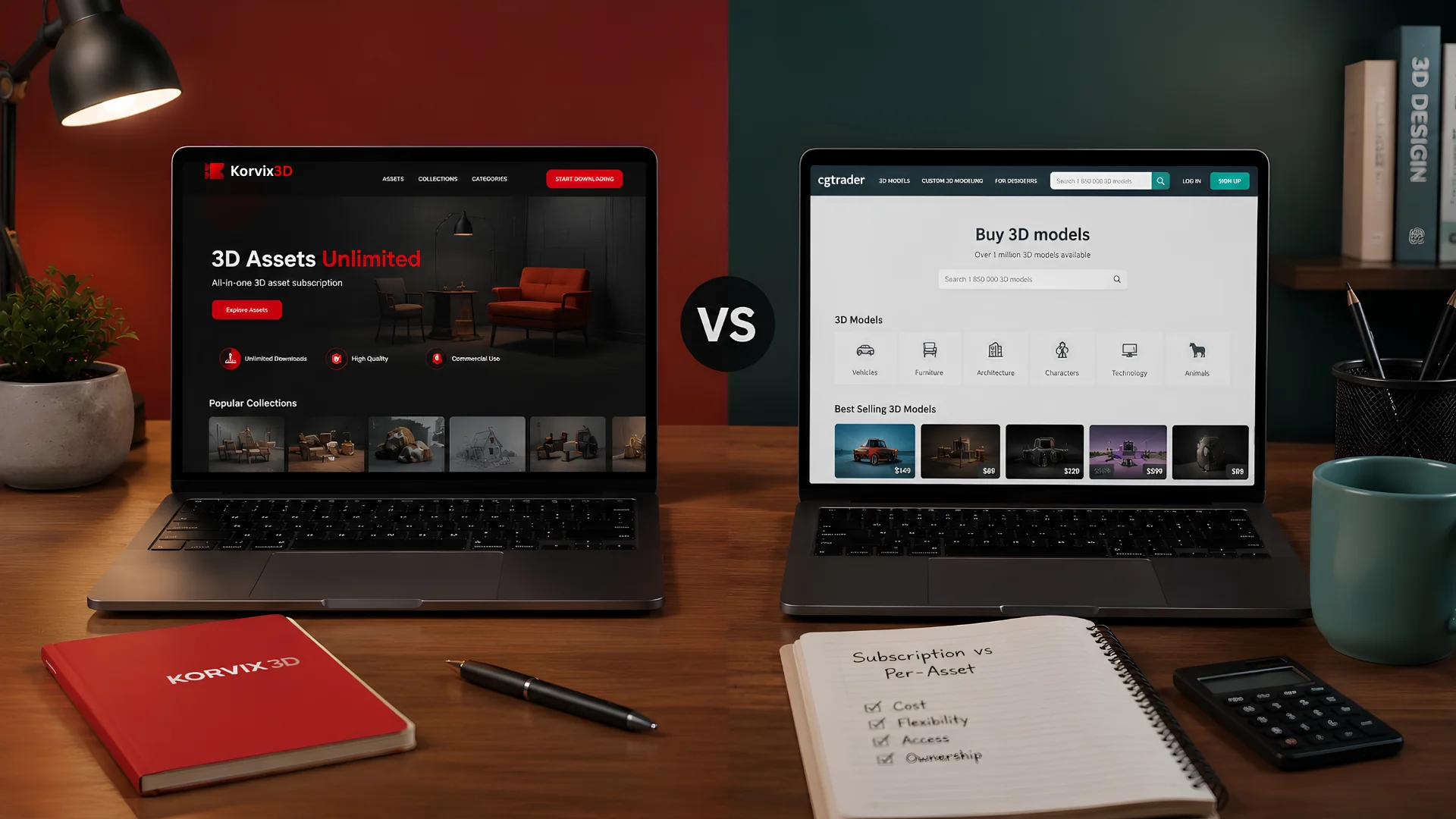



CGTrader and Korvix3D are not really competing for the same thing, even though they both give you access to 3D assets. One is a marketplace where you buy specific models at individual prices, accumulating a library one purchase at a time. The other is a subscription where a flat monthly fee covers your entire asset workflow across every major 3D application you use. The models are different enough that comparing them directly requires being specific about what you actually spend, how you actually work, and what you are actually getting for your money.
That specificity is what most comparisons skip. This one doesn't.
What CGTrader Actually Is
CGTrader is one of the oldest and largest 3D model marketplaces online, with a library that stretches into the millions of models across every imaginable category. It operates primarily on a per-asset purchase model: you search, you find something you need, you buy it, you download it. Creator earnings run at 70 to 80 percent of the sale price depending on exclusivity arrangements, which is one of the higher rates in the per- asset marketplace world.
The library's breadth is CGTrader's main strength. With millions of models submitted by creators from around the world, you can find niche and specific assets on CGTrader that simply don't exist on smaller or more curated platforms. If your project needs something unusual, something hyper-specific, or something that belongs to a category too small to be well-covered by a subscription library, CGTrader is often the place to look.
The library's breadth is also, in a different sense, its main weakness. Open submission with light moderation produces enormous volume and enormous quality variance in roughly equal measure. For every genuinely production-ready asset on CGTrader, there are many that look acceptable in the thumbnail and reveal problems on import: overlapping UVs, texture paths that don't resolve, scale that puts a chair at the size of a building, materials that arrive as flat grey in every renderer. Finding good assets requires time and experience, and even experienced artists get burned occasionally.
The Math: What You Actually Spend
This is where the comparison gets concrete, and concrete is where the subscription model makes its strongest case.
Assume you are a working 3D artist who needs assets regularly. Not constantly, but consistently, across multiple projects through the year. Let's say an average of eight to twelve assets per month, which is modest for anyone running multiple projects simultaneously or working in archviz, game development, or motion design where scene population requires a lot of varied assets.
Scenario A: Buying on CGTrader
The average price of a quality 3D model on CGTrader, taking the full range from simple props to complex vehicles and characters, lands somewhere between $20 and $60 per asset. Using a conservative $30 average for the kind of production-ready assets a professional would actually use:
8 assets per month: $240
10 assets per month: $300
12 assets per month: $360
Annual spend at 10 assets per month: $3,600
That is before accounting for the time spent browsing, evaluating, downloading, importing, fixing material issues, and dealing with scale problems. That time has a cost too, even if it doesn't appear on an invoice.
Scenario B: Subscribing to Korvix3D
Korvix3D Pro at $12 per month (90 assets/month), or $129 per year on annual billing.
Korvix3D Plus at $25 per month (200 assets/month), or $240 per year on annual billing.
At 10 assets per month, the Pro subscription covers your usage comfortably and costs $129 for the year versus $3,600 in per-asset purchases. That is a saving of $3,471 on the same volume of assets, or roughly 96 cents saved for every dollar spent on CGTrader at that usage level.
The math does not get closer as usage increases. It gets more lopsided. At 20 assets per month, CGTrader costs $7,200 annually. Korvix3D Pro still covers that volume at $129 per year. The subscription saving is $7,071 per year. Heavy users going beyond 90 assets a month move to Korvix3D Plus at $240 annually, which still saves $6,960 per year compared to buying the same volume at $30 per asset on CGTrader.
The one scenario where CGTrader costs less is very low usage: one or two assets per month where the per-asset spend doesn't reach the subscription cost. Below roughly three assets per month, per-asset purchasing can cost less than a subscription. Above that threshold, the subscription wins by a margin that grows with every additional asset.
The Quality Question: Open Submission vs Curated Library
Price is only part of the comparison. What you are getting for that price matters too, and the quality stories of the two platforms are genuinely different.
CGTrader's submission process is relatively open. Creators upload assets, a review team checks for obvious technical failures, and the asset goes live. This process catches broken files and missing textures at a basic level but does not deeply evaluate topology quality, UV mapping efficiency, texture accuracy, or whether the asset is genuinely production-ready in the ways that matter to professionals.
The result is a library where quality is entirely asset-specific. Some of CGTrader's best assets are genuinely excellent, produced by skilled professionals who use the platform for its creator economics. Others are uploaded by beginners or by creators optimizing for quantity over quality. The thumbnail doesn't reliably tell you which category a specific asset falls into, which is why experienced CGTrader users develop the habit of checking wireframes, reading reviews, and sometimes buying assets that turn out to be unusable.
Korvix3D's quality system works differently. Creator earnings are weighted by an Effort Rating Factor that combines admin quality ratings at 60% weight and user reviews at 40%. An asset that earns a poor quality rating generates less income per download than one that earns a high rating. This creates a direct financial incentive for quality that CGTrader's per-asset model doesn't produce. On CGTrader, a mediocre asset with a good thumbnail can outsell an excellent asset with a plainer presentation. On Korvix3D, the platform's economics actively work against that dynamic.
This does not mean every asset on Korvix3D is perfect and every asset on CGTrader is problematic. It means the structural incentives that shape the library over time favor quality more consistently on Korvix3D than on an open per-asset marketplace.
Workflow: Where the Real Time Is Lost
The cost comparison above counts only the money. It doesn't count the time, and time in a professional workflow has a real dollar value.
CGTrader's workflow for every asset looks like this: search the marketplace in a browser, evaluate options, purchase, download a zip file, unzip it, locate the asset files, open your 3D application, open the import dialog, select the file format, import, discover that the scale is wrong or the textures are missing or the materials need rebuilding for your renderer, fix those issues, and then finally use the asset in your scene.
That process takes anywhere from five minutes on a clean, well-prepared asset to thirty or forty minutes on one that arrives with material and scale problems. Multiply that by the number of assets in a typical scene and the workflow cost becomes significant. In a scene that needs thirty assets, even a conservative ten minutes per asset adds up to five hours of import and cleanup work before you have done any of the actual creative work the scene requires.
Korvix3D's workflow eliminates most of those steps. The bridge plugin sits inside Blender, Maya, 3DS Max, Cinema4D, Unity, or Unreal Engine as a native panel. You browse the library, click an asset, and it arrives in your scene correctly scaled, with materials configured for your renderer, textures intact. The round trip from wanting an asset to having it in your scene takes roughly the same time it takes to click through a thumbnail preview.
For a professional whose time has a real hourly value, the workflow difference between these two platforms is not a minor convenience. It is a meaningful productivity difference that compounds across every asset in every project.
Where CGTrader Still Makes Sense
Being honest about this matters because it keeps the comparison useful rather than promotional.
CGTrader's depth in niche and unusual categories is genuine and hard to match. Subscription libraries prioritize common, high-demand categories because those are the assets that justify the investment of a creator's time. For the long tail of specific, unusual, or highly specialized assets, CGTrader's massive library is often the only source. A specific industrial machine, an obscure architectural detail, a hyper-realistic version of a branded consumer product: if it exists anywhere as a 3D model, CGTrader is likely to have it.
For artists who need very specific assets infrequently, the per-asset model also makes economic sense. If you need two or three assets per quarter for occasional personal projects, a monthly subscription costs more than those few purchases would. The subscription math only favors the buyer above a certain usage volume.
CGTrader's creator payout rate of 70 to 80 percent of the sale price is also among the most generous in the per-asset world for high-value specialized assets. A creator selling a complex $200 character rig earns $140 to $160 from a single sale. The per-asset model works well for creators selling high-price specialized work, even if the subscription pool model is better for creators building a library of broad-appeal assets.
For everything outside these specific use cases, the subscription model is cheaper, faster, and produces fewer import headaches.
For Creators: Which Platform Pays Better?
This comparison has a different answer depending on what you create and how you build your income.
CGTrader's 70 to 80 percent payout rate sounds extremely favorable, and for a creator selling high-value specialized assets, it is. If you build a $150 vehicle model and sell it ten times a month, CGTrader's economics are strong for that specific asset.
The problem is that CGTrader's per-asset model doesn't produce passive recurring income in the same way a subscription pool does. Each sale is transactional. When downloads stop, income stops. There is no monthly recurring element to the earnings, no compounding effect as the library grows, no income from assets you uploaded two years ago except when someone happens to find and purchase them.
Korvix3D's creator pool distributes 70% of subscription revenue monthly across all creators based on download performance, weighted by the effort rating quality score. An asset uploaded two years ago that is still being downloaded earns every month, regardless of whether the creator is actively producing new work. As the platform's subscriber base grows, the pool grows, and all creators benefit from that growth without needing to generate new sales individually.
The Verified Badge system adds another dimension CGTrader doesn't offer. Gold badge holders earn approximately 1.25 times more per download than standard creators. Diamond badge holders earn approximately 1.5 times more. This earnings multiplier, combined with the recurring nature of subscription pool income, makes the long-term earnings trajectory on Korvix3D more favorable than CGTrader for creators building a library rather than selling individual high-value assets.
The Verdict
For artists who source assets regularly, the subscription model is not slightly cheaper than per-asset purchasing on CGTrader. It is dramatically cheaper at any meaningful volume, and the workflow advantage of native software integration makes it faster at every step between finding an asset and using it in a scene.
CGTrader's library breadth is real and valuable for specific use cases. For unusual, niche, or highly specialized assets that don't exist in a subscription library, it is often the right source. The right approach for most professional artists is a Korvix3D subscription as the primary library covering the broad majority of everyday asset needs, with CGTrader as a supplementary source for the specific assets that fall outside what any subscription library covers.
Using CGTrader as a primary source rather than a supplementary one, paying per-asset prices for assets you use regularly, is simply a more expensive way to do the same thing a subscription does better.
See Korvix3D plans and pricing → https://korvix3d.com/pricing
Explore the bridge plugin for your software → https://korvix3d.com/download#blender
Frequently Asked Questions
Is Korvix3D cheaper than CGTrader? At any regular usage volume, yes, significantly. CGTrader charges per asset, typically $20 to $60 or more per model. Korvix3D's Pro plan at $12 per month covers up to 90 assets per month, and the Plus plan at $25 per month covers up to 200. At eight or more assets per month, the annual saving compared to buying the same volume on CGTrader runs into hundreds or thousands of dollars.
Does CGTrader have a subscription option? CGTrader's primary and most well-known model is per-asset purchasing. For regular users who need assets consistently, this model accumulates costs quickly compared to a flat subscription fee.
Can I use CGTrader assets in commercial projects? Most CGTrader assets are sold under a Royalty Free license that covers commercial use. Always verify the specific license on each asset before using it commercially, as terms can vary between individual listings and some assets have restrictions on certain types of commercial use.
What does CGTrader do better than Korvix3D? Library breadth in niche and specialized categories. CGTrader's open submission model produces an enormous volume of assets across highly specific categories that smaller, more curated libraries don't cover. For unusual or highly specialized assets that don't exist in subscription libraries, CGTrader is often the best source. It works best as a supplementary source for those edge cases rather than as a primary asset platform.
Does Korvix3D integrate with Unity and Unreal Engine like it does with Blender and Maya? Yes. Korvix3D has native bridge plugins for Unity and Unreal Engine alongside Blender, Maya, 3DS Max, and Cinema4D. Assets import directly into engine projects with materials configured for each engine's render pipeline. CGTrader has no software or engine integration of any kind.
How does the quality compare between Korvix3D and CGTrader? CGTrader's quality varies significantly because submissions are relatively open. Production-ready assets exist alongside lower-quality uploads, and the thumbnail doesn't always accurately represent which category an asset falls into. Korvix3D's effort-weighted creator payout financially incentivizes quality: assets with higher quality ratings earn more per download, which shapes what creators build and what stays prominent in the library over time.