If you've decided to get serious about 3D in 2026, you've probably already hit the same wall every beginner hits: Blender or Cinema 4D? It's one of the most debated questions in the 3D community, and honestly, the answer isn't as simple as picking a winner.
Both tools are genuinely powerful. Both have passionate communities. Both can produce stunning results. But they were built with different goals, attract different industries, and suit different types of learners. The wrong choice early on can mean months of frustration, while the right choice can fast-track your career in a direction you'll actually love.
In this guide, we're going to break down everything, pricing, features, job prospects, learning curve, render engines, and more, so you can make the smartest decision for where you want to go in 3D.
A Quick Introduction to Each Software
Blender - The Free Powerhouse
Blender is a free, open-source 3D creation suite that covers the entire pipeline: modeling, rigging, animation, simulation, rendering, compositing, and even video editing. Originally a scrappy alternative to expensive professional tools, Blender has evolved into a legitimate industry-grade application used in everything from indie game development to blockbuster visual effects.
As of early 2026, Blender has crossed an extraordinary milestone: over 20 million active users worldwide. It's being used at studios like DNEG, Axis Studios, and even Netflix-backed productions. The gap between Blender and paid software has never been smaller.
Cinema 4D - The Motion Design King
Cinema 4D, developed by Maxon, has long been the go-to tool for motion graphic designers, broadcast artists, and advertising professionals. Its trademark feature - MoGraph - is the most elegant procedural animation system in any 3D software, and it has made Cinema 4D synonymous with the kind of slick, kinetic design work you see in commercials, title sequences, and brand animations.
In 2024, Maxon bundled Cinema 4D with Redshift, one of the industry's fastest GPU renderers, making it an even more compelling all-in-one package. The price point is significantly higher, but professionals in motion design consider it a non-negotiable tool.
Blender vs Cinema 4D: Side-by-Side Comparison
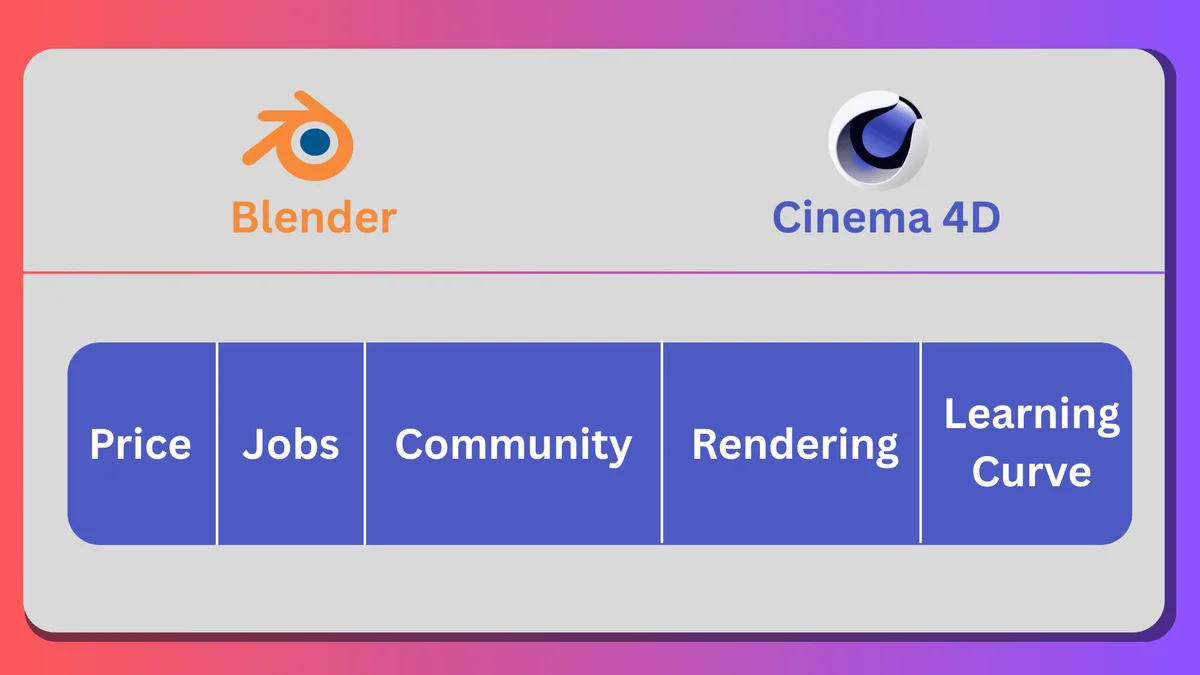
Before we dive deep, here's a quick snapshot of how the two tools stack up across the most important categories:
Category | Blender | Cinema 4D |
Price | Free & Open Source | Subscription (~$95/month) |
Best For | Generalist 3D, indie games, film VFX | Motion graphics, broadcast, MoGraph |
Learning Curve | Moderate to steep | Beginner-friendly |
Community | Massive & free resources | Strong, professional-focused |
Industry Use | VFX, animation, game dev | Broadcast, advertising, archviz |
Rendering | Cycles, EEVEE (built-in) | Redshift (included), Arnold, Octane |
Motion Graphics | Grease Pencil, NLA Editor | MoGraph (industry standard) |
Job Market | High demand, growing fast | Steady demand, niche industries |
OS Support | Windows, macOS, Linux | Windows, macOS |
File Formats | Wide range, .blend native | Wide range, .c4d native |
1. Pricing - Free vs. Subscription
This is often the first and most decisive factor, especially for students and beginners, and it's where the two tools couldn't be more different.
Blender
Blender is completely free. Not "free tier with limitations", genuinely, fully free. Every feature, every update, every render engine. It's open-source under the GNU General Public License, which means you can even modify the source code if you want. For students, freelancers starting out, and hobbyists, this is a transformative advantage.
Cinema 4D
Cinema 4D runs on a subscription model, currently sitting at approximately $95 per month or around $720 per year (as of early 2026). Maxon also offers a bundle with other tools like ZBrush, Red Giant, and Universe through the Maxon One subscription (~$149/month), which adds significant value if you need those tools.
There is a free 14-day trial, and educational licenses are available at steep discounts for students. But the full commercial license is a real ongoing cost.
Verdict: Blender wins this category outright. If budget is a concern, and for most beginners, it should be, Blender removes every financial barrier to learning 3D.
2. Learning Curve - Which Is Easier to Pick Up?
Cinema 4D
Cinema 4D has a reputation as one of the most beginner-friendly 3D applications available. Its interface is logically laid out, its naming conventions are intuitive, and its node-based workflow for materials feels approachable compared to more technical alternatives. Many design schools and bootcamps that teach motion graphics default to Cinema 4D precisely because students can start creating impressive work faster.
The MoGraph system, in particular, is incredibly intuitive for designers coming from a graphic design background. Cloners, Effectors, and Fields are powerful concepts that feel natural after just a few hours of exploration.
Blender
Blender has historically had a steep learning curve, largely due to its keyboard-shortcut-heavy workflow and interface that felt alien to newcomers. However, the 2.8 redesign and subsequent versions have significantly improved its usability. By 2026, Blender's interface is far more approachable than it was even three years ago.
That said, Blender does more things, which means there's simply more to learn. The depth of features in areas like geometry nodes, physics simulations, and rigging is immense. This is a long-term investment, but the payoff is a tool that can handle almost anything you throw at it.
Verdict: Cinema 4D has a gentler on-ramp. If you want to be productive quickly and your goal is motion design or advertising, C4D will get you there faster. If you're willing to invest more time upfront for a more versatile toolkit, Blender rewards the patience.
3. Industry & Job Market in 2026
Choosing software isn't just about what you enjoy learning, it's about where you want to work and who's hiring.
Where Blender Gets You Hired
Blender's job market has exploded over the past few years. Game studios (especially indie and mid-size), VFX houses, animation studios, and content creators are all hiring Blender artists. The rise of Blender in architectural visualization has also been dramatic, with many archviz firms replacing 3ds Max/V-Ray pipelines entirely.
Specific areas where Blender demand is strongest in 2026:
• Indie game development (Unity and Unreal Engine asset creation)
• Animated short films and YouTube content creation
• Freelance 3D modeling and product visualization
• Archviz and real estate rendering
• VFX for streaming and independent film
Where Cinema 4D Gets You Hired
Cinema 4D remains the dominant tool in specific, well-paying industries. If you want to work in broadcast television, advertising agencies, or high-end motion design studios, Cinema 4D is still widely expected. Major studios like Buck, Trollback+Company, and most major advertising post-production houses run Cinema 4D pipelines.
Specific areas where Cinema 4D demand is strongest in 2026:
• Broadcast design and TV channel branding
• Advertising and commercial motion graphics
• Title sequences for film and TV
• Product animation for luxury brands
• AR/VR experiences for marketing campaigns
Verdict: Blender has the larger and faster-growing job market overall. Cinema 4D dominates in specific premium niches (motion graphics, broadcast) where it commands higher day rates. If you're unsure of your direction, Blender's versatility gives you more options.
4. Rendering - Cycles vs. Redshift
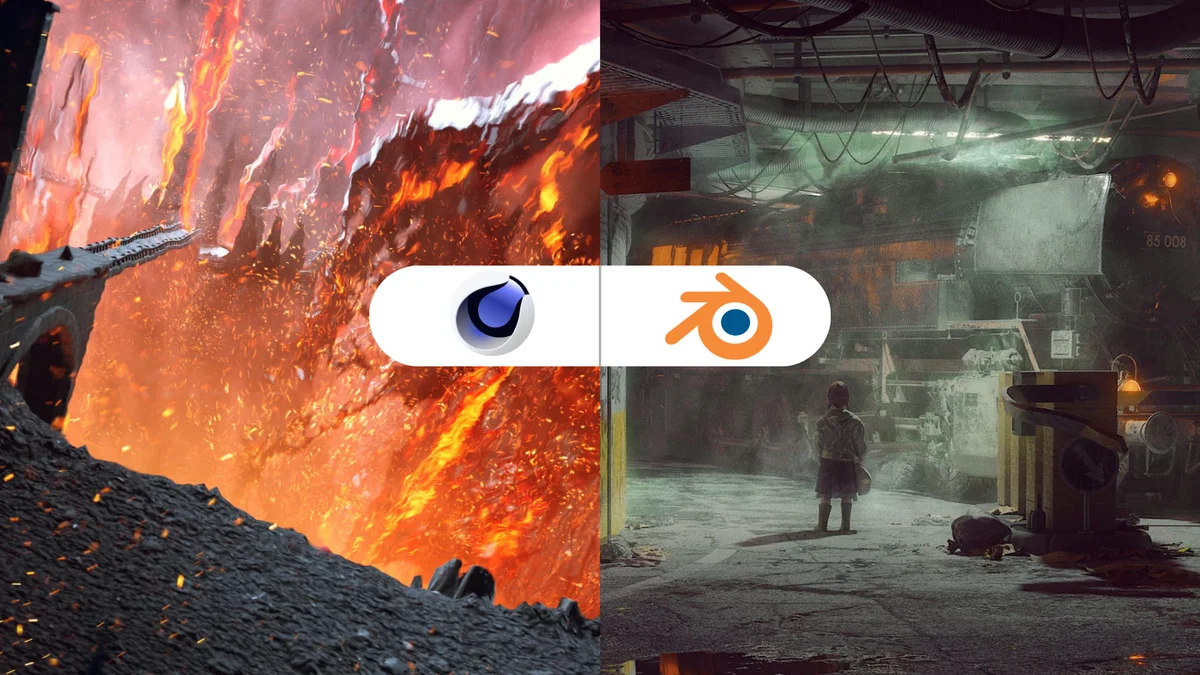
The render engine you use determines the quality, speed, and look of your final output. Both software packages come with capable renderers built-in.
Blender: Cycles & EEVEE
Blender ships with two powerful renderers. Cycles is a physically-based path tracer that produces photorealistic results and supports both CPU and GPU rendering. EEVEE is Blender's real-time renderer, capable of producing near-photorealistic results at dramatically faster speeds, ideal for animation and previsualization.
With the release of EEVEE Next in Blender 4.x, the real-time renderer took a major leap forward in quality, bringing ray-traced shadows, ambient occlusion, and improved subsurface scattering. It's a serious production tool now, not just a preview engine.
Cinema 4D: Redshift
Since Maxon's acquisition of Redshift, the GPU-accelerated renderer has been bundled with Cinema 4D subscriptions. Redshift is widely regarded as one of the fastest and most production proven GPU renderers in the industry. It handles complex scenes, volumetrics, and subsurface scattering with exceptional performance.
Cinema 4D also supports third-party renderers like Octane, Arnold, and V-Ray, giving artists a huge choice of rendering options to match their pipeline.
Verdict: Cinema 4D + Redshift is arguably the stronger out-of-the-box rendering combo for speed and realism on GPU. However, Blender's Cycles is no slouch, and EEVEE Next has closed the gap significantly for real-time and animation work.
Blender
Blender's community is one of the largest and most generous in all of creative software. YouTube alone has hundreds of thousands of free tutorials covering every imaginable topic, from absolute beginner modeling to advanced Geometry Nodes setups. Platforms like Blender Artists, Blender Nation, BlenderKit, and Korvix3D offer free assets, add-ons, and resources to accelerate your learning.
The Blender Foundation itself regularly releases open movies (short films made entirely in Blender) that double as learning showcases, pushing the community's ambitions higher every year.
Cinema 4D
Cinema 4D also has an excellent learning ecosystem. Maxon's own learning portal (Maxon One Learn) provides official tutorials, and the broader community on platforms like Greyscalegorilla, MotionHatch, and School of Motion produces some of the highest-quality motion design education available anywhere.
However, a significant portion of premium Cinema 4D education sits behind paywalls, and free resources are less abundant than Blender's community offerings.
Verdict: Blender wins on sheer volume of free resources. Cinema 4D has higher-quality premium education for motion design specifically. Either way, you won't lack learning material.
So, Which Should YOU Learn First?
Here's the honest answer: it depends entirely on where you want to go. Here's a clear decision framework:
Choose Blender if you...
• Are a complete beginner with a limited budget (or no budget)
• Want to work in game development, indie film, or freelance 3D
• Are interested in architectural visualization, product rendering, or VFX
• Want maximum versatility from a single tool
• Plan to work with Unity or Unreal Engine
• Love open-source software and community-driven development
Choose Cinema 4D if you...
• Have a clear goal of working in motion graphics, advertising, or broadcast
• Come from a graphic design background and want a faster on-ramp
• Are targeting premium advertising agencies or TV production studios
• Want the most elegant MoGraph toolset in the industry
• Your studio or school already runs a Cinema 4D pipeline
One important note: These two tools are not mutually exclusive. Many professional 3D artists use both, Blender for modeling and simulation, Cinema 4D for motion graphics and rendering. Once you master one, picking up the other is significantly easier. Your first choice simply determines your initial trajectory.
The Verdict: Our Recommendation for 2026
If we had to recommend one tool for a complete beginner starting their 3D journey in 2026, we'd say: start with Blender.
The zero cost eliminates risk entirely. The community is enormous. The job market is growing faster than any other 3D tool. And the skills you build in Blender, understanding topology, UV unwrapping, lighting, shading, rendering, are directly transferable to Cinema 4D, Maya, Houdini, or any other 3D software you encounter later in your career.
Cinema 4D is an excellent tool and the clear choice if motion graphics is your specific, decided destination. But for anyone still exploring what kind of 3D artist they want to become, Blender's breadth and accessibility make it the smarter starting point.
Either way, both tools will still be thriving and evolving throughout 2026 and beyond. The best software is ultimately the one you actually open every day and practice with, so pick one, commit, and start creating.
Ready to Start Practicing? Download Free 3D Assets on Korvix3D
Whether you've picked Blender or Cinema 4D, the fastest way to accelerate your learning is to work with real, production-quality assets. On Korvix3D, you'll find hundreds of free 3D models, from furniture and plants to architectural props and vehicles, ready to import directly into your software of choice.
• Browse Free 3D Models - korvix3d.com/free
• Architectural Props for Interior Renders - korvix3d.com/architectural
• Plant & Nature Assets for Environment Design - korvix3d.com/plants
• Industrial & Mechanical Props - korvix3d.com/industrial
Use real models in your practice scenes. Understand how professional assets are built. And keep coming back, we add new free models every week.


If you've decided to get serious about 3D in 2026, you've probably already hit the same wall every beginner hits: Blender or Cinema 4D? It's one of the most debated questions in the 3D community, and honestly, the answer isn't as simple as picking a winner.
Both tools are genuinely powerful. Both have passionate communities. Both can produce stunning results. But they were built with different goals, attract different industries, and suit different types of learners. The wrong choice early on can mean months of frustration, while the right choice can fast-track your career in a direction you'll actually love.
In this guide, we're going to break down everything, pricing, features, job prospects, learning curve, render engines, and more, so you can make the smartest decision for where you want to go in 3D.
A Quick Introduction to Each Software
Blender - The Free Powerhouse
Blender is a free, open-source 3D creation suite that covers the entire pipeline: modeling, rigging, animation, simulation, rendering, compositing, and even video editing. Originally a scrappy alternative to expensive professional tools, Blender has evolved into a legitimate industry-grade application used in everything from indie game development to blockbuster visual effects.
As of early 2026, Blender has crossed an extraordinary milestone: over 20 million active users worldwide. It's being used at studios like DNEG, Axis Studios, and even Netflix-backed productions. The gap between Blender and paid software has never been smaller.
Cinema 4D - The Motion Design King
Cinema 4D, developed by Maxon, has long been the go-to tool for motion graphic designers, broadcast artists, and advertising professionals. Its trademark feature - MoGraph - is the most elegant procedural animation system in any 3D software, and it has made Cinema 4D synonymous with the kind of slick, kinetic design work you see in commercials, title sequences, and brand animations.
In 2024, Maxon bundled Cinema 4D with Redshift, one of the industry's fastest GPU renderers, making it an even more compelling all-in-one package. The price point is significantly higher, but professionals in motion design consider it a non-negotiable tool.
Blender vs Cinema 4D: Side-by-Side Comparison
Before we dive deep, here's a quick snapshot of how the two tools stack up across the most important categories:
Category
Blender
Cinema 4D
Price
Free & Open Source
Subscription (~$95/month)
Best For
Generalist 3D, indie games, film VFX
Motion graphics, broadcast, MoGraph
Learning Curve
Moderate to steep
Beginner-friendly
Community
Massive & free resources
Strong, professional-focused
Industry Use
VFX, animation, game dev
Broadcast, advertising, archviz
Rendering
Cycles, EEVEE (built-in)
Redshift (included), Arnold, Octane
Motion Graphics
Grease Pencil, NLA Editor
MoGraph (industry standard)
Job Market
High demand, growing fast
Steady demand, niche industries
OS Support
Windows, macOS, Linux
Windows, macOS
File Formats
Wide range, .blend native
Wide range, .c4d native
1. Pricing - Free vs. Subscription
This is often the first and most decisive factor, especially for students and beginners, and it's where the two tools couldn't be more different.
Blender
Blender is completely free. Not "free tier with limitations", genuinely, fully free. Every feature, every update, every render engine. It's open-source under the GNU General Public License, which means you can even modify the source code if you want. For students, freelancers starting out, and hobbyists, this is a transformative advantage.
Cinema 4D
Cinema 4D runs on a subscription model, currently sitting at approximately $95 per month or around $720 per year (as of early 2026). Maxon also offers a bundle with other tools like ZBrush, Red Giant, and Universe through the Maxon One subscription (~$149/month), which adds significant value if you need those tools.
There is a free 14-day trial, and educational licenses are available at steep discounts for students. But the full commercial license is a real ongoing cost.
Verdict: Blender wins this category outright. If budget is a concern, and for most beginners, it should be, Blender removes every financial barrier to learning 3D.
2. Learning Curve - Which Is Easier to Pick Up?
Cinema 4D
Cinema 4D has a reputation as one of the most beginner-friendly 3D applications available. Its interface is logically laid out, its naming conventions are intuitive, and its node-based workflow for materials feels approachable compared to more technical alternatives. Many design schools and bootcamps that teach motion graphics default to Cinema 4D precisely because students can start creating impressive work faster.
The MoGraph system, in particular, is incredibly intuitive for designers coming from a graphic design background. Cloners, Effectors, and Fields are powerful concepts that feel natural after just a few hours of exploration.
Blender
Blender has historically had a steep learning curve, largely due to its keyboard-shortcut-heavy workflow and interface that felt alien to newcomers. However, the 2.8 redesign and subsequent versions have significantly improved its usability. By 2026, Blender's interface is far more approachable than it was even three years ago.
That said, Blender does more things, which means there's simply more to learn. The depth of features in areas like geometry nodes, physics simulations, and rigging is immense. This is a long-term investment, but the payoff is a tool that can handle almost anything you throw at it.
Verdict: Cinema 4D has a gentler on-ramp. If you want to be productive quickly and your goal is motion design or advertising, C4D will get you there faster. If you're willing to invest more time upfront for a more versatile toolkit, Blender rewards the patience.
3. Industry & Job Market in 2026
Choosing software isn't just about what you enjoy learning, it's about where you want to work and who's hiring.
Where Blender Gets You Hired
Blender's job market has exploded over the past few years. Game studios (especially indie and mid-size), VFX houses, animation studios, and content creators are all hiring Blender artists. The rise of Blender in architectural visualization has also been dramatic, with many archviz firms replacing 3ds Max/V-Ray pipelines entirely.
Specific areas where Blender demand is strongest in 2026:
• Indie game development (Unity and Unreal Engine asset creation)
• Animated short films and YouTube content creation
• Freelance 3D modeling and product visualization
• Archviz and real estate rendering
• VFX for streaming and independent film
Where Cinema 4D Gets You Hired
Cinema 4D remains the dominant tool in specific, well-paying industries. If you want to work in broadcast television, advertising agencies, or high-end motion design studios, Cinema 4D is still widely expected. Major studios like Buck, Trollback+Company, and most major advertising post-production houses run Cinema 4D pipelines.
Specific areas where Cinema 4D demand is strongest in 2026:
• Broadcast design and TV channel branding
• Advertising and commercial motion graphics
• Title sequences for film and TV
• Product animation for luxury brands
• AR/VR experiences for marketing campaigns
Verdict: Blender has the larger and faster-growing job market overall. Cinema 4D dominates in specific premium niches (motion graphics, broadcast) where it commands higher day rates. If you're unsure of your direction, Blender's versatility gives you more options.
4. Rendering - Cycles vs. Redshift
The render engine you use determines the quality, speed, and look of your final output. Both software packages come with capable renderers built-in.
Blender: Cycles & EEVEE
Blender ships with two powerful renderers. Cycles is a physically-based path tracer that produces photorealistic results and supports both CPU and GPU rendering. EEVEE is Blender's real-time renderer, capable of producing near-photorealistic results at dramatically faster speeds, ideal for animation and previsualization.
With the release of EEVEE Next in Blender 4.x, the real-time renderer took a major leap forward in quality, bringing ray-traced shadows, ambient occlusion, and improved subsurface scattering. It's a serious production tool now, not just a preview engine.
Cinema 4D: Redshift
Since Maxon's acquisition of Redshift, the GPU-accelerated renderer has been bundled with Cinema 4D subscriptions. Redshift is widely regarded as one of the fastest and most production proven GPU renderers in the industry. It handles complex scenes, volumetrics, and subsurface scattering with exceptional performance.
Cinema 4D also supports third-party renderers like Octane, Arnold, and V-Ray, giving artists a huge choice of rendering options to match their pipeline.
Verdict: Cinema 4D + Redshift is arguably the stronger out-of-the-box rendering combo for speed and realism on GPU. However, Blender's Cycles is no slouch, and EEVEE Next has closed the gap significantly for real-time and animation work.
5. Community & Learning Resources
Blender
Blender's community is one of the largest and most generous in all of creative software. YouTube alone has hundreds of thousands of free tutorials covering every imaginable topic, from absolute beginner modeling to advanced Geometry Nodes setups. Platforms like Blender Artists, Blender Nation, BlenderKit, and Korvix3D offer free assets, add-ons, and resources to accelerate your learning.
The Blender Foundation itself regularly releases open movies (short films made entirely in Blender) that double as learning showcases, pushing the community's ambitions higher every year.
Cinema 4D
Cinema 4D also has an excellent learning ecosystem. Maxon's own learning portal (Maxon One Learn) provides official tutorials, and the broader community on platforms like Greyscalegorilla, MotionHatch, and School of Motion produces some of the highest-quality motion design education available anywhere.
However, a significant portion of premium Cinema 4D education sits behind paywalls, and free resources are less abundant than Blender's community offerings.
Verdict: Blender wins on sheer volume of free resources. Cinema 4D has higher-quality premium education for motion design specifically. Either way, you won't lack learning material.
So, Which Should YOU Learn First?
Here's the honest answer: it depends entirely on where you want to go. Here's a clear decision framework:
Choose Blender if you...
• Are a complete beginner with a limited budget (or no budget)
• Want to work in game development, indie film, or freelance 3D
• Are interested in architectural visualization, product rendering, or VFX
• Want maximum versatility from a single tool
• Plan to work with Unity or Unreal Engine
• Love open-source software and community-driven development
Choose Cinema 4D if you...
• Have a clear goal of working in motion graphics, advertising, or broadcast
• Come from a graphic design background and want a faster on-ramp
• Are targeting premium advertising agencies or TV production studios
• Want the most elegant MoGraph toolset in the industry
• Your studio or school already runs a Cinema 4D pipeline
One important note: These two tools are not mutually exclusive. Many professional 3D artists use both, Blender for modeling and simulation, Cinema 4D for motion graphics and rendering. Once you master one, picking up the other is significantly easier. Your first choice simply determines your initial trajectory.
The Verdict: Our Recommendation for 2026
If we had to recommend one tool for a complete beginner starting their 3D journey in 2026, we'd say: start with Blender.
The zero cost eliminates risk entirely. The community is enormous. The job market is growing faster than any other 3D tool. And the skills you build in Blender, understanding topology, UV unwrapping, lighting, shading, rendering, are directly transferable to Cinema 4D, Maya, Houdini, or any other 3D software you encounter later in your career.
Cinema 4D is an excellent tool and the clear choice if motion graphics is your specific, decided destination. But for anyone still exploring what kind of 3D artist they want to become, Blender's breadth and accessibility make it the smarter starting point.
Either way, both tools will still be thriving and evolving throughout 2026 and beyond. The best software is ultimately the one you actually open every day and practice with, so pick one, commit, and start creating.
Ready to Start Practicing? Download Free 3D Assets on Korvix3D
Whether you've picked Blender or Cinema 4D, the fastest way to accelerate your learning is to work with real, production-quality assets. On Korvix3D, you'll find hundreds of free 3D models, from furniture and plants to architectural props and vehicles, ready to import directly into your software of choice.
• Browse Free 3D Models - korvix3d.com/free
• Architectural Props for Interior Renders - korvix3d.com/architectural
• Plant & Nature Assets for Environment Design - korvix3d.com/plants
• Industrial & Mechanical Props - korvix3d.com/industrial
Use real models in your practice scenes. Understand how professional assets are built. And keep coming back, we add new free models every week.