Talk to any architectural visualization artist who has been doing this work for more than a few years, and you'll find they've all arrived at the same conclusion independently: the fastest way to slow down a project is to spend time modeling furniture.
It sounds obvious when you say it out loud. The value an ArchViz studio delivers to a client is the ability to make an unbuilt space feel real, believable, liveable. That value lives in the lighting, the material quality, the camera composition, the careful balance between showing the architecture clearly and making the space feel inhabited rather than clinical. None of that value lives in whether the sofa in the corner was modeled by your team or sourced from a library.
And yet, plenty of studios still default to modeling common furnishings because they always have, or because sourcing assets felt uncertain in ways that custom modeling didn't. This article is about what changes when you build a proper ready-made asset workflow, and specifically what it means for the kind of work you can take on and how fast you can deliver it.
Where the Hours Actually Go in an ArchViz Project
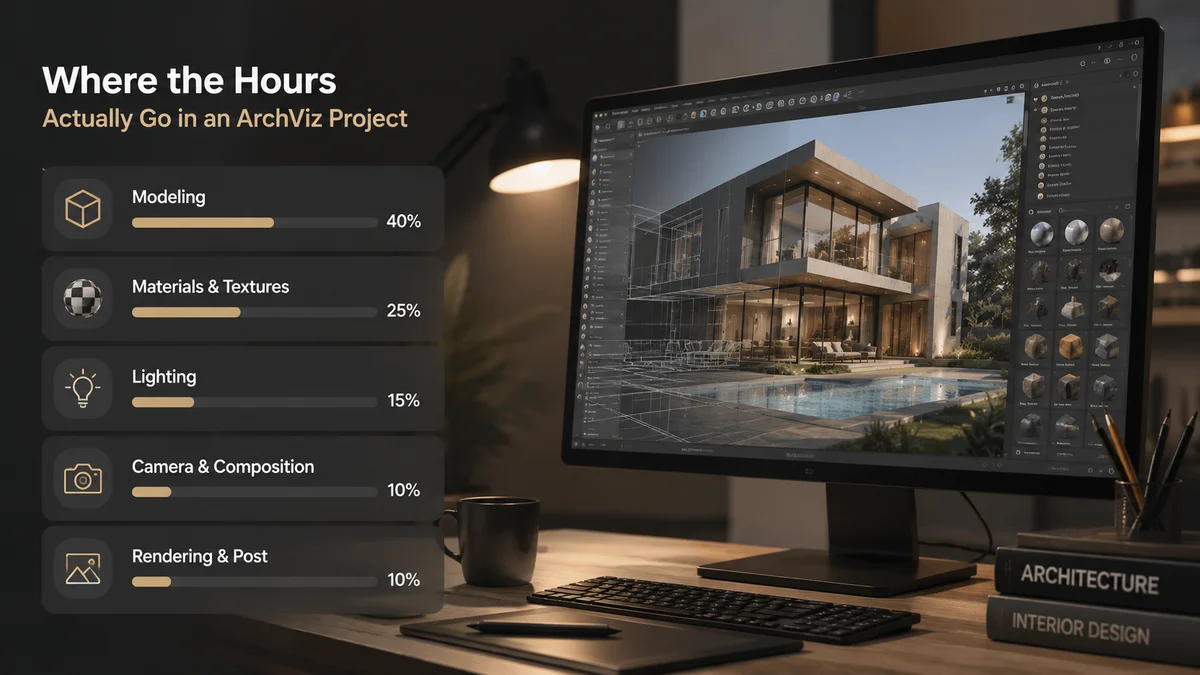
Before talking about solutions, it helps to be specific about where the time actually disappears in a typical project, because "we spend too long on assets" is vague in ways that make it hard to fix.
The average interior visualization project, say a luxury apartment for a property developer, needs somewhere between thirty and eighty distinct 3D objects to feel convincingly furnished. That's counting individual pieces: a sofa, a coffee table, two armchairs, a floor lamp, a pendant light, a dining table, six dining chairs, a sideboard, artwork on three walls, a bed frame, two bedside tables, lamps on each, a wardrobe, curtains or blinds, decorative objects on surfaces, plants, books, and whatever specific architectural fixtures the design calls for.
If your studio models any significant portion of that list from scratch per project, the math is unpleasant. Even a reasonably fast modeler working on straightforward furniture takes two to four hours per piece for something that will survive a close-up render with proper materials. On a fifty-piece scene, that's between one hundred and two hundred hours of pure modeling time, before lighting, before rendering, before revisions.
For a studio charging $3,000 to $8,000 for a high-quality interior render, spending a hundred hours on furniture modeling alone means the project is losing money before anyone has set up a single camera.
The studios that are profitable in ArchViz are, almost without exception, the ones who figured this out and built an asset library that lets them populate a full interior scene in hours, not days.
What Ready-Made Assets Actually Look Like in a Professional Workflow
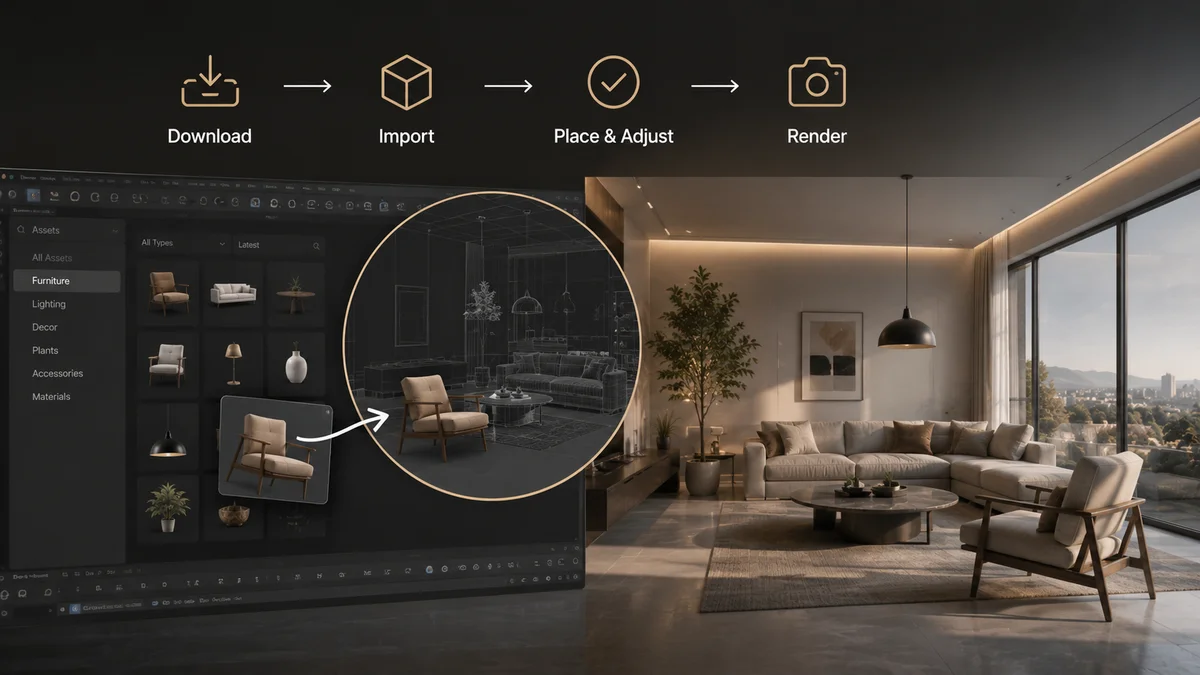
The mental image a lot of artists have of "using marketplace assets" is dragging in something low-quality and hoping the client doesn't notice. That image is a decade out of date.
The quality ceiling on professional ArchViz assets in 2026 is genuinely high. The best furniture and fixture assets available today are modeled to real-world manufacturer specifications, textured with PBR maps produced from actual material samples, and built specifically for the kind of close-up, high-resolution renders that property developers and design firms use for marketing materials. These aren't placeholder meshes. They're production assets that hold up under the same scrutiny as anything your own team would produce.
The realistic workflow for a studio that has built its asset library properly looks something like this. A project brief arrives with floor plans, mood boards, and a furniture specification from the interior designer. The visualization team works through the specification and locates the closest matches in their library: sometimes the exact specified pieces if they're common enough to be in the library, sometimes close alternatives that match the style and scale even if they're not the precise manufacturer model.
For a brief with thirty specified furniture pieces, a team with a well-stocked library might find direct matches or close alternatives for twenty-five of them within an afternoon. The remaining five pieces that need custom modeling are the ones worth investing real time in, because they're either so specific to the project that nothing else will work, or they're hero pieces that will be featured prominently enough to justify the effort.
The modeling time for a project drops from a hundred hours to ten or fifteen. The hours freed up go into lighting and material refinement, which is what the client actually pays for and what distinguishes a great render from a merely competent one.
The Sourcing Problems Worth Solving Before They Cost You Time

Ready-made assets are only faster than custom modeling if the sourcing and import process is itself fast. This is where a lot of studios underestimate the workflow they're building.
If sourcing an asset requires browsing three different marketplaces, downloading a file, unzipping it, importing it into 3DS Max or Cinema4D, spending fifteen minutes rebuilding V-Ray or Corona materials, fixing the scale, and reconnecting missing textures, that's not saving time over modeling. It's a different kind of time cost, one that's perhaps less skilled but equally consuming.
The studios that get the most out of ready-made assets are the ones who have solved this part of the workflow, not just found a library they like.
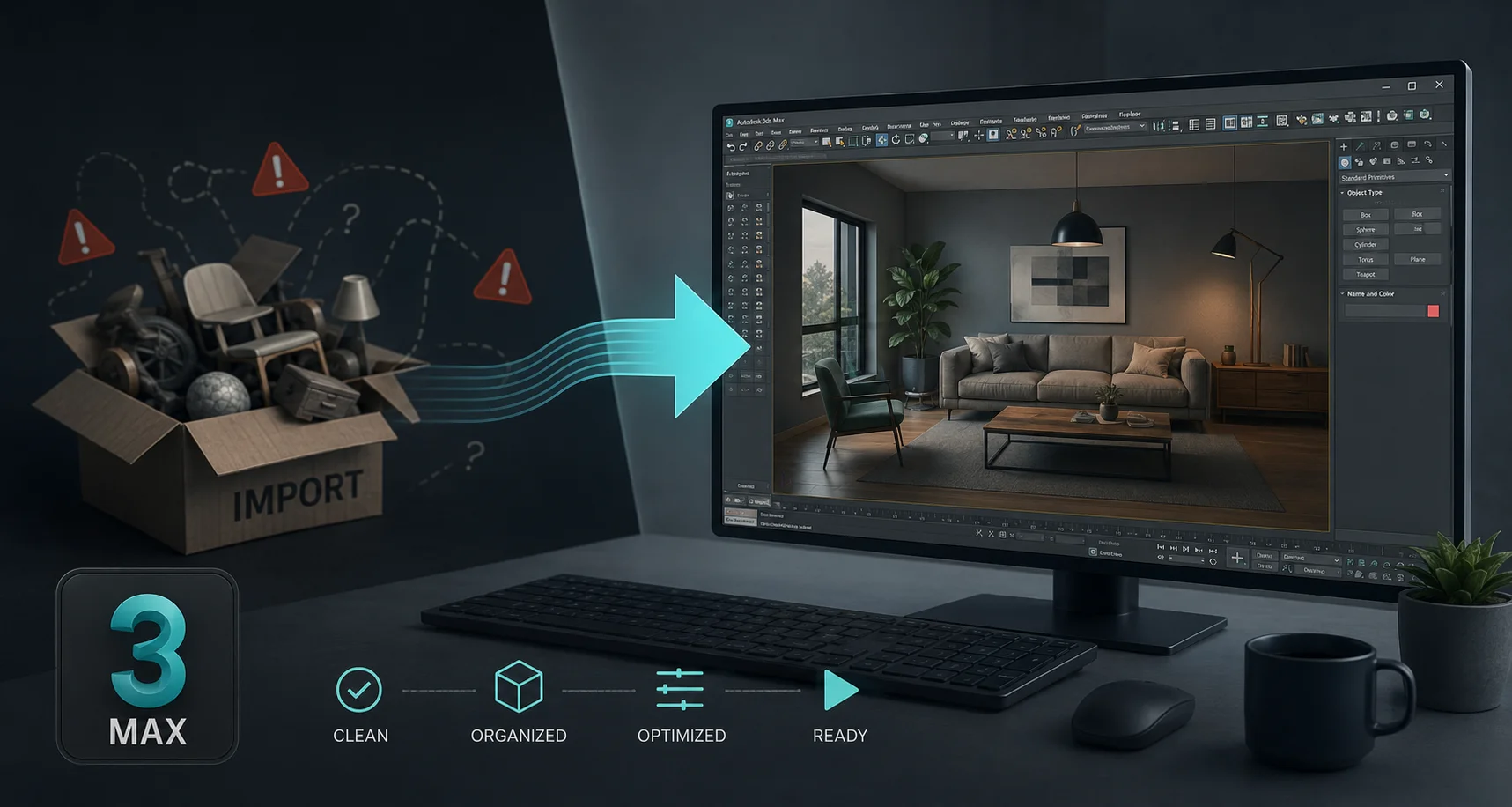
Building a pre-converted local library is the practice most experienced ArchViz artists land on. Every asset you source and convert to your renderer's material format, whether V-Ray, Corona, or Arnold, gets saved as a native .max or .c4d file in an organized folder structure. The next time you need that piece, or anything similar, you're not going through the import process again. You're merging a pre-converted file where the materials are already perfect.
The upfront investment is real. Converting fifty assets the first time takes hours. But those fifty assets are then instant for every future project, and the library compounds as you add to it over time. Studios who've been doing this for a few years have libraries of several hundred pre-converted, render-ready assets that let them populate entire interior scenes in a morning.
Using platforms with native software integration shortens even the first-use conversion time significantly. The Korvix3D bridge plugins for Blender, Maya, 3DS Max, Cinema4D, Unity, and Unreal Engine deliver assets with materials already configured for your renderer, correctly scaled to your scene units, with textures intact. For ArchViz artists working in 3DS Max with V-Ray or Cinema4D with Redshift, this means the asset arrives ready to light rather than ready to fix.
What to Actually Look for When Building Your Asset Library
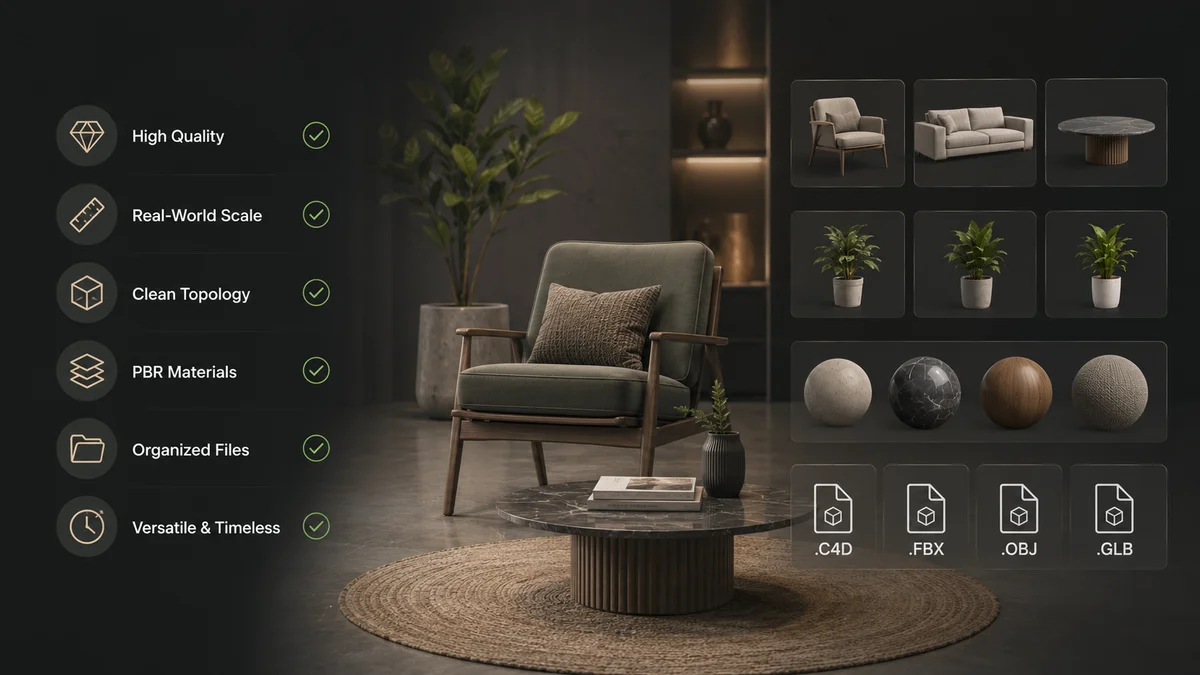
Not all furniture assets are built for ArchViz work specifically, and the difference between a game-ready prop and an ArchViz-ready prop matters a lot when a render is going on a developer's marketing page or a planning application.
Real-world scale accuracy. Furniture that isn't modeled to actual dimensions creates spatial lies in a visualization. A sofa that's modeled too deep or too shallow changes how the room reads, the proportions of the space feel wrong even if the viewer can't articulate why. Good ArchViz assets include dimension information in the listing, and the best ones are modeled to specific manufacturer specifications.
High-resolution texture maps for close-up renders. Property marketing renders are often viewed at large formats, printed for site hoardings or used as full-page spreads in brochures. Textures that look fine at screen resolution start to read as blurry or flat at print sizes. Look for 4K texture sets with full PBR maps: albedo, normal, roughness, ambient occlusion, and for fabric assets specifically, a proper displacement or height map makes the difference between fabric that looks like a photograph and fabric that looks like a texture applied to flat geometry.
Material variants. A sofa available in three fabric options and four leg finishes is worth more in a library than three separate sofa models, because it lets you match different client briefs from the same base asset. Creators who provide material variants are building for professional use rather than the minimum viable product.
Render-engine-ready material setups. The moment where this matters most is when you're under deadline and there's no time to rebuild materials. Assets that arrive with V-Ray or Corona materials already configured, rather than standard materials that need conversion, remove that pressure entirely.
The Specific Categories Where Asset Libraries Save the Most Time
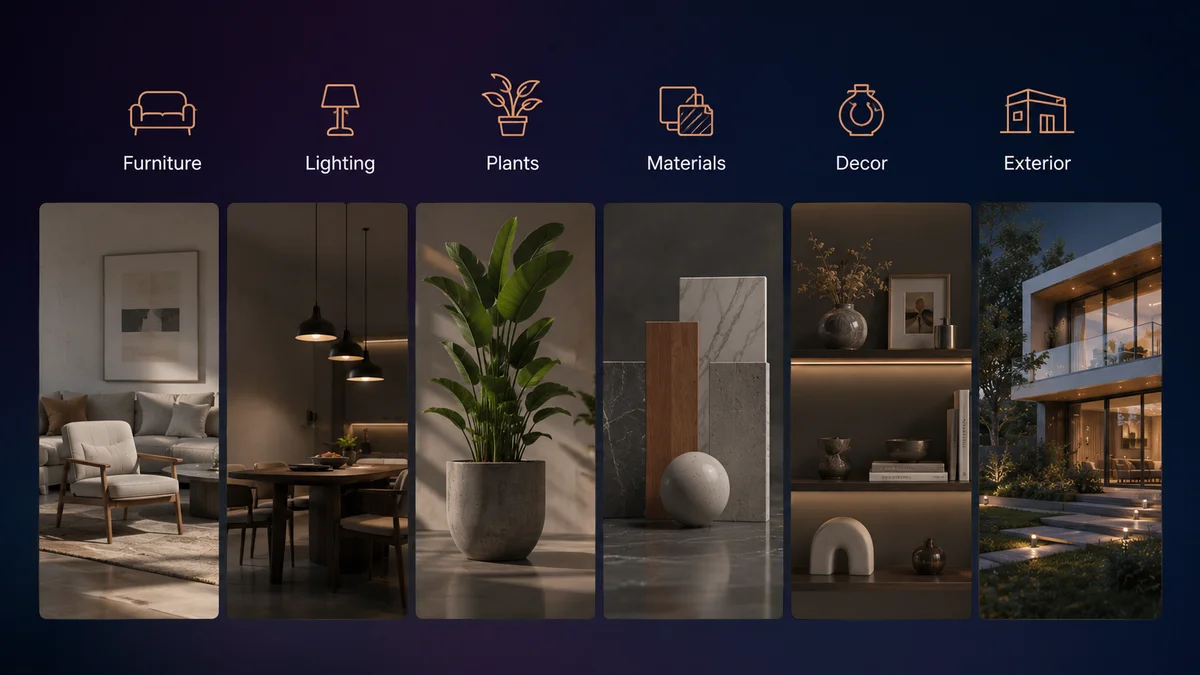
Not every part of an ArchViz scene benefits equally from a library approach, and being strategic about which categories you source versus which you build custom gets you the best combination of speed and creative control.
The categories to always source, never model:
Decorative objects. Books, vases, candles, sculptures, cushions, throws, and small decorative items are the single biggest time trap in ArchViz. They're invisible in isolation but essential for making a space feel lived-in, and they can collectively take longer to model than the hero furniture if you're not careful. These should come exclusively from your library.
Plants and vegetation. Modeling convincing plants is genuinely difficult, time-consuming work, and the results rarely match what purpose-built plant assets with properly randomized geometry and accurate leaf textures can produce. A library of twenty to thirty plant assets of different varieties covers most interior briefs.
Background architecture. Secondary walls, ceilings, floors, window frames, and standard architectural details that repeat across projects should be library assets the moment you've built or sourced them once.
The categories worth custom modeling for hero projects:
Specific client-specified furniture when the exact piece matters, typically for luxury residential work where the client has already chosen their furniture and wants to see exactly those pieces in the visualization. Bespoke architectural features that are unique to the project. Any asset that will be the primary visual subject of a render, close-up, prominent, the thing the viewer's eye goes to first.
A Realistic Time Comparison
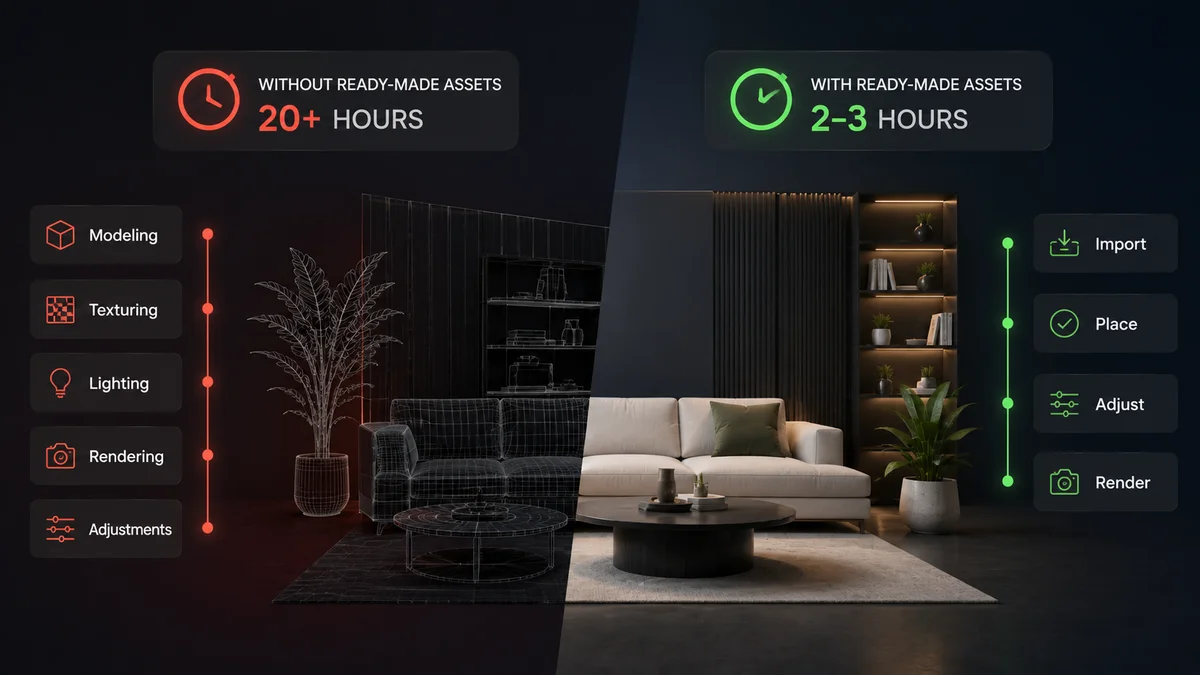
For a single mid-complexity interior render with forty objects in the scene:
Studio modeling everything from scratch: Modeling and texturing: 80 to 120 hours Lighting and render setup: 15 to 20 hours Post-production: 4 to 6 hours Total: 99 to 146 hours
Studio with a mature asset library sourcing 85% of the scene: Asset sourcing and scene population: 4 to 8 hours Custom modeling for five to six hero pieces: 12 to 20 hours Lighting and render setup: 15 to 20 hours Post-production: 4 to 6 hours Total: 35 to 54 hours
The gap is significant enough that it changes what kind of projects are viable at what price points. A studio that takes 120 hours per render needs to charge accordingly. A studio that takes 40 hours per render can either charge less and win more projects, or charge the same and take on more projects with the freed capacity.
Either way, the constraint on the business is no longer how fast they can model furniture.
Explore the Korvix3D ArchViz asset library → Assets Page
Install the plugin for your software → Plugins page
Frequently Asked Questions
What is the most time-consuming part of an architectural visualization project? For studios without a proper asset library, asset modeling and material setup consumes the majority of project time, often more than lighting and rendering combined. Studios with mature asset libraries flip this ratio entirely, spending the bulk of their time on lighting, camera work, and material refinement, which is where the quality that differentiates studios actually comes from.
How do I know if a 3D furniture asset is accurate enough for architectural visualization? Look for real-world dimension information in the listing, preferably matched to manufacturer specifications. Check that the texture resolution is 4K or higher for pieces that will appear prominently in a render. Verify that a full PBR material set is included, not just an albedo and normal map. Read user reviews from other ArchViz artists if available, since they will flag accuracy issues that a preview render won't reveal.
Should ArchViz studios use 3DS Max, Cinema4D, or another software for the best asset workflow? Both 3DS Max and Cinema4D are well-established in ArchViz and both support the main professional renderers (V-Ray, Corona, Redshift) needed for high-quality output. The software choice matters less than whether the asset workflow is set up properly within it. Korvix3D's bridge plugins support both, delivering assets with renderer-appropriate materials in either application.
Is it worth paying for an ArchViz asset library subscription versus buying individual assets? For studios producing more than a few renders per month, the subscription model costs significantly less per asset than individual purchases, and more importantly removes the friction of per-asset purchasing decisions that slow down the sourcing process. A $12 to $25 monthly subscription that covers dozens of assets per month compares favorably to a $30 to $80 per-asset cost on specialty furniture marketplaces.
Can I use ready-made 3D assets in renders delivered to clients for commercial use? On platforms with a standard commercial license, yes. Most professional asset marketplaces and subscriptions include commercial use rights that cover delivering renders to clients for marketing, advertising, and planning purposes. Verify the specific license terms for any platform you use, particularly for assets that will appear in widely distributed commercial materials.

Talk to any architectural visualization artist who has been doing this work for more than a few years, and you'll find they've all arrived at the same conclusion independently: the fastest way to slow down a project is to spend time modeling furniture.
It sounds obvious when you say it out loud. The value an ArchViz studio delivers to a client is the ability to make an unbuilt space feel real, believable, liveable. That value lives in the lighting, the material quality, the camera composition, the careful balance between showing the architecture clearly and making the space feel inhabited rather than clinical. None of that value lives in whether the sofa in the corner was modeled by your team or sourced from a library.
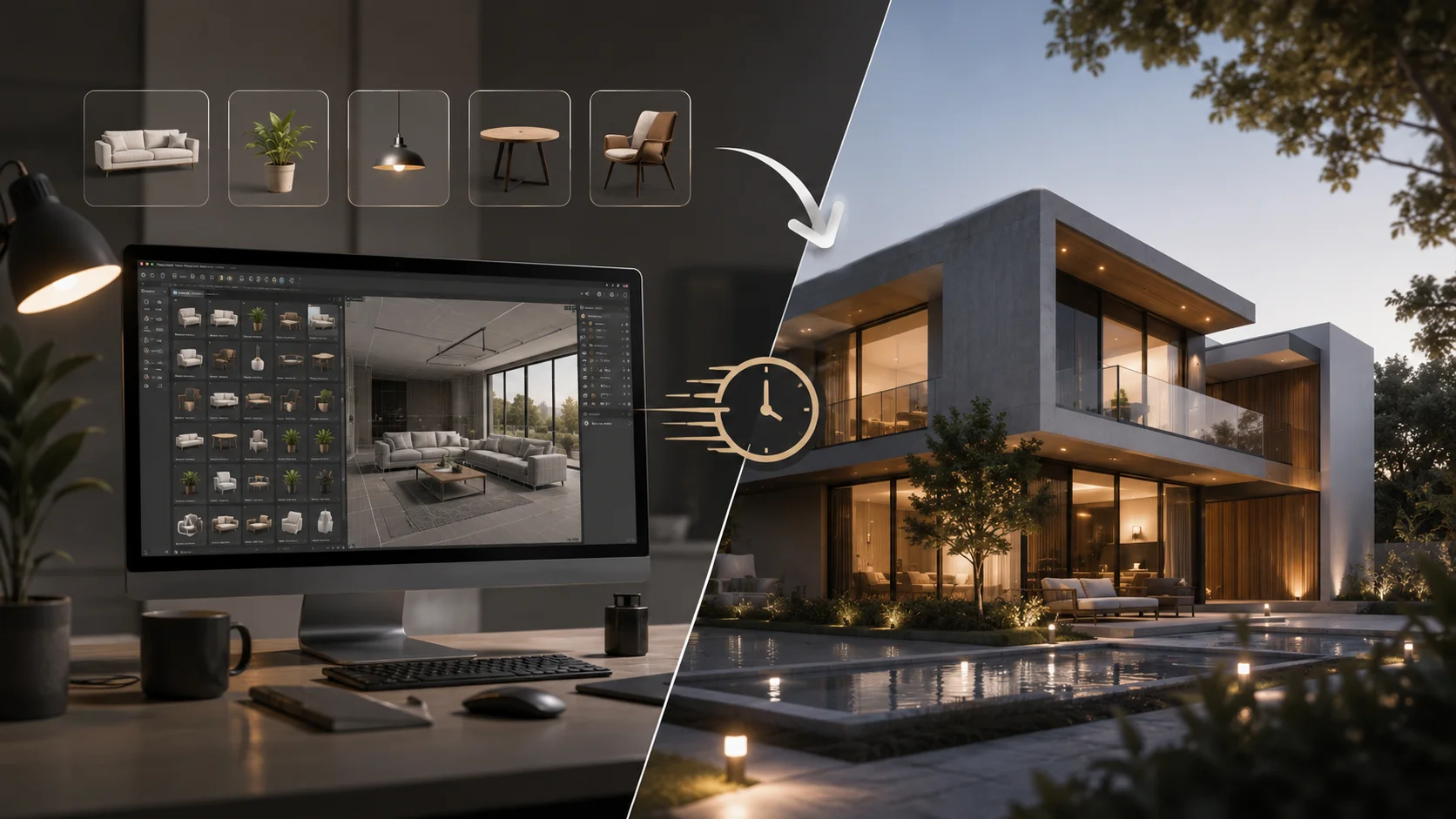
And yet, plenty of studios still default to modeling common furnishings because they always have, or because sourcing assets felt uncertain in ways that custom modeling didn't. This article is about what changes when you build a proper ready-made asset workflow, and specifically what it means for the kind of work you can take on and how fast you can deliver it.
Where the Hours Actually Go in an ArchViz Project
Before talking about solutions, it helps to be specific about where the time actually disappears in a typical project, because "we spend too long on assets" is vague in ways that make it hard to fix.
The average interior visualization project, say a luxury apartment for a property developer, needs somewhere between thirty and eighty distinct 3D objects to feel convincingly furnished. That's counting individual pieces: a sofa, a coffee table, two armchairs, a floor lamp, a pendant light, a dining table, six dining chairs, a sideboard, artwork on three walls, a bed frame, two bedside tables, lamps on each, a wardrobe, curtains or blinds, decorative objects on surfaces, plants, books, and whatever specific architectural fixtures the design calls for.
If your studio models any significant portion of that list from scratch per project, the math is unpleasant. Even a reasonably fast modeler working on straightforward furniture takes two to four hours per piece for something that will survive a close-up render with proper materials. On a fifty-piece scene, that's between one hundred and two hundred hours of pure modeling time, before lighting, before rendering, before revisions.
For a studio charging $3,000 to $8,000 for a high-quality interior render, spending a hundred hours on furniture modeling alone means the project is losing money before anyone has set up a single camera.
The studios that are profitable in ArchViz are, almost without exception, the ones who figured this out and built an asset library that lets them populate a full interior scene in hours, not days.
What Ready-Made Assets Actually Look Like in a Professional Workflow
The mental image a lot of artists have of "using marketplace assets" is dragging in something low-quality and hoping the client doesn't notice. That image is a decade out of date.
The quality ceiling on professional ArchViz assets in 2026 is genuinely high. The best furniture and fixture assets available today are modeled to real-world manufacturer specifications, textured with PBR maps produced from actual material samples, and built specifically for the kind of close-up, high-resolution renders that property developers and design firms use for marketing materials. These aren't placeholder meshes. They're production assets that hold up under the same scrutiny as anything your own team would produce.
The realistic workflow for a studio that has built its asset library properly looks something like this. A project brief arrives with floor plans, mood boards, and a furniture specification from the interior designer. The visualization team works through the specification and locates the closest matches in their library: sometimes the exact specified pieces if they're common enough to be in the library, sometimes close alternatives that match the style and scale even if they're not the precise manufacturer model.
For a brief with thirty specified furniture pieces, a team with a well-stocked library might find direct matches or close alternatives for twenty-five of them within an afternoon. The remaining five pieces that need custom modeling are the ones worth investing real time in, because they're either so specific to the project that nothing else will work, or they're hero pieces that will be featured prominently enough to justify the effort.
The modeling time for a project drops from a hundred hours to ten or fifteen. The hours freed up go into lighting and material refinement, which is what the client actually pays for and what distinguishes a great render from a merely competent one.
The Sourcing Problems Worth Solving Before They Cost You Time
Ready-made assets are only faster than custom modeling if the sourcing and import process is itself fast. This is where a lot of studios underestimate the workflow they're building.
If sourcing an asset requires browsing three different marketplaces, downloading a file, unzipping it, importing it into 3DS Max or Cinema4D, spending fifteen minutes rebuilding V-Ray or Corona materials, fixing the scale, and reconnecting missing textures, that's not saving time over modeling. It's a different kind of time cost, one that's perhaps less skilled but equally consuming.
The studios that get the most out of ready-made assets are the ones who have solved this part of the workflow, not just found a library they like.
Building a pre-converted local library is the practice most experienced ArchViz artists land on. Every asset you source and convert to your renderer's material format, whether V-Ray, Corona, or Arnold, gets saved as a native .max or .c4d file in an organized folder structure. The next time you need that piece, or anything similar, you're not going through the import process again. You're merging a pre-converted file where the materials are already perfect.
The upfront investment is real. Converting fifty assets the first time takes hours. But those fifty assets are then instant for every future project, and the library compounds as you add to it over time. Studios who've been doing this for a few years have libraries of several hundred pre-converted, render-ready assets that let them populate entire interior scenes in a morning.
Using platforms with native software integration shortens even the first-use conversion time significantly. The Korvix3D bridge plugins for Blender, Maya, 3DS Max, Cinema4D, Unity, and Unreal Engine deliver assets with materials already configured for your renderer, correctly scaled to your scene units, with textures intact. For ArchViz artists working in 3DS Max with V-Ray or Cinema4D with Redshift, this means the asset arrives ready to light rather than ready to fix.
What to Actually Look for When Building Your Asset Library
Not all furniture assets are built for ArchViz work specifically, and the difference between a game-ready prop and an ArchViz-ready prop matters a lot when a render is going on a developer's marketing page or a planning application.
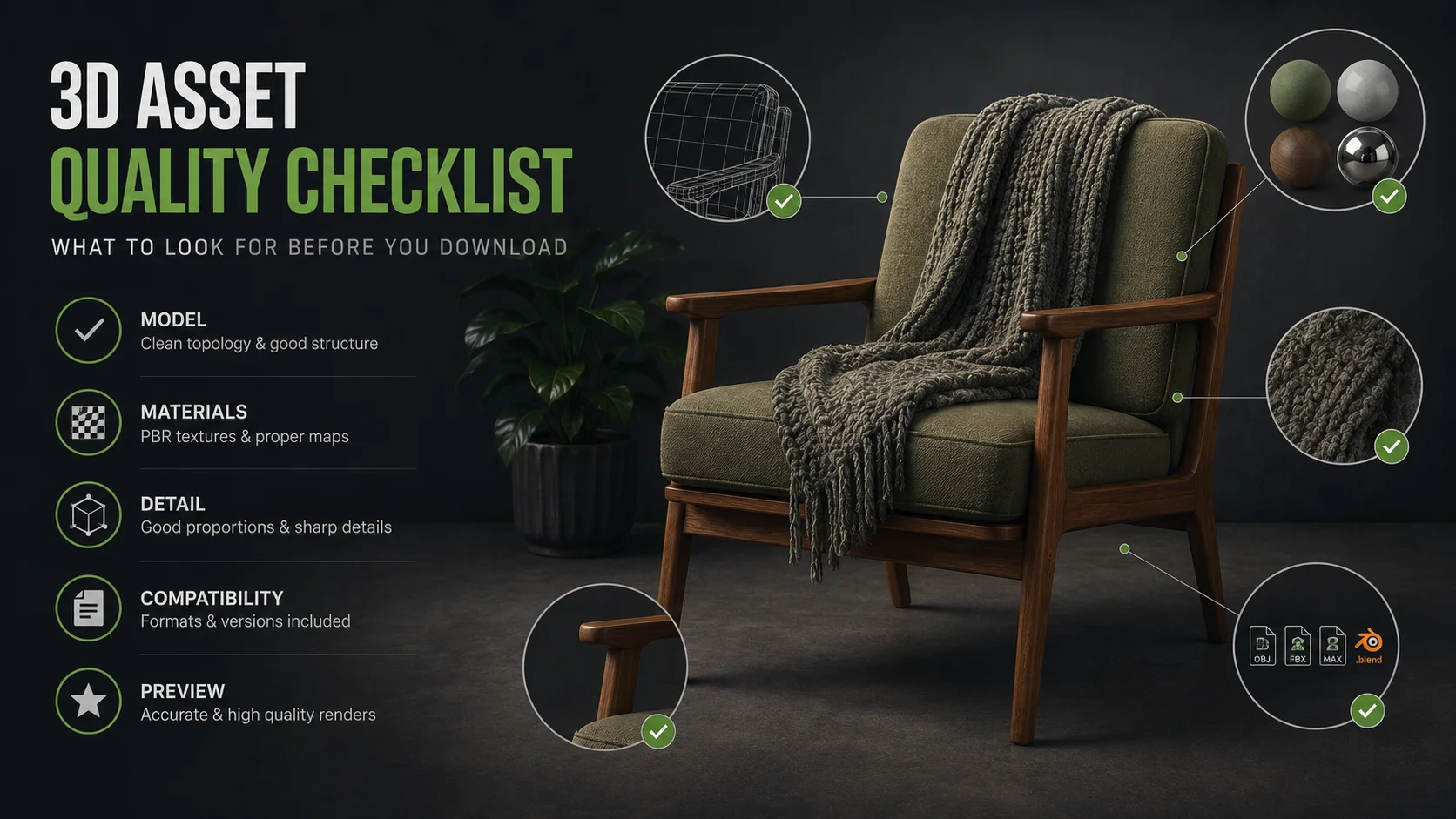
Real-world scale accuracy. Furniture that isn't modeled to actual dimensions creates spatial lies in a visualization. A sofa that's modeled too deep or too shallow changes how the room reads, the proportions of the space feel wrong even if the viewer can't articulate why. Good ArchViz assets include dimension information in the listing, and the best ones are modeled to specific manufacturer specifications.
High-resolution texture maps for close-up renders. Property marketing renders are often viewed at large formats, printed for site hoardings or used as full-page spreads in brochures. Textures that look fine at screen resolution start to read as blurry or flat at print sizes. Look for 4K texture sets with full PBR maps: albedo, normal, roughness, ambient occlusion, and for fabric assets specifically, a proper displacement or height map makes the difference between fabric that looks like a photograph and fabric that looks like a texture applied to flat geometry.
Material variants. A sofa available in three fabric options and four leg finishes is worth more in a library than three separate sofa models, because it lets you match different client briefs from the same base asset. Creators who provide material variants are building for professional use rather than the minimum viable product.
Render-engine-ready material setups. The moment where this matters most is when you're under deadline and there's no time to rebuild materials. Assets that arrive with V-Ray or Corona materials already configured, rather than standard materials that need conversion, remove that pressure entirely.
The Specific Categories Where Asset Libraries Save the Most Time
Not every part of an ArchViz scene benefits equally from a library approach, and being strategic about which categories you source versus which you build custom gets you the best combination of speed and creative control.
The categories to always source, never model:
Decorative objects. Books, vases, candles, sculptures, cushions, throws, and small decorative items are the single biggest time trap in ArchViz. They're invisible in isolation but essential for making a space feel lived-in, and they can collectively take longer to model than the hero furniture if you're not careful. These should come exclusively from your library.
Plants and vegetation. Modeling convincing plants is genuinely difficult, time-consuming work, and the results rarely match what purpose-built plant assets with properly randomized geometry and accurate leaf textures can produce. A library of twenty to thirty plant assets of different varieties covers most interior briefs.
Background architecture. Secondary walls, ceilings, floors, window frames, and standard architectural details that repeat across projects should be library assets the moment you've built or sourced them once.
The categories worth custom modeling for hero projects:
Specific client-specified furniture when the exact piece matters, typically for luxury residential work where the client has already chosen their furniture and wants to see exactly those pieces in the visualization. Bespoke architectural features that are unique to the project. Any asset that will be the primary visual subject of a render, close-up, prominent, the thing the viewer's eye goes to first.
A Realistic Time Comparison
For a single mid-complexity interior render with forty objects in the scene:
Studio modeling everything from scratch: Modeling and texturing: 80 to 120 hours Lighting and render setup: 15 to 20 hours Post-production: 4 to 6 hours Total: 99 to 146 hours
Studio with a mature asset library sourcing 85% of the scene: Asset sourcing and scene population: 4 to 8 hours Custom modeling for five to six hero pieces: 12 to 20 hours Lighting and render setup: 15 to 20 hours Post-production: 4 to 6 hours Total: 35 to 54 hours
The gap is significant enough that it changes what kind of projects are viable at what price points. A studio that takes 120 hours per render needs to charge accordingly. A studio that takes 40 hours per render can either charge less and win more projects, or charge the same and take on more projects with the freed capacity.
Either way, the constraint on the business is no longer how fast they can model furniture.
Explore the Korvix3D ArchViz asset library → Assets Page
Install the plugin for your software → Plugins page
Frequently Asked Questions
What is the most time-consuming part of an architectural visualization project? For studios without a proper asset library, asset modeling and material setup consumes the majority of project time, often more than lighting and rendering combined. Studios with mature asset libraries flip this ratio entirely, spending the bulk of their time on lighting, camera work, and material refinement, which is where the quality that differentiates studios actually comes from.
How do I know if a 3D furniture asset is accurate enough for architectural visualization? Look for real-world dimension information in the listing, preferably matched to manufacturer specifications. Check that the texture resolution is 4K or higher for pieces that will appear prominently in a render. Verify that a full PBR material set is included, not just an albedo and normal map. Read user reviews from other ArchViz artists if available, since they will flag accuracy issues that a preview render won't reveal.
Should ArchViz studios use 3DS Max, Cinema4D, or another software for the best asset workflow? Both 3DS Max and Cinema4D are well-established in ArchViz and both support the main professional renderers (V-Ray, Corona, Redshift) needed for high-quality output. The software choice matters less than whether the asset workflow is set up properly within it. Korvix3D's bridge plugins support both, delivering assets with renderer-appropriate materials in either application.
Is it worth paying for an ArchViz asset library subscription versus buying individual assets? For studios producing more than a few renders per month, the subscription model costs significantly less per asset than individual purchases, and more importantly removes the friction of per-asset purchasing decisions that slow down the sourcing process. A $12 to $25 monthly subscription that covers dozens of assets per month compares favorably to a $30 to $80 per-asset cost on specialty furniture marketplaces.
Can I use ready-made 3D assets in renders delivered to clients for commercial use? On platforms with a standard commercial license, yes. Most professional asset marketplaces and subscriptions include commercial use rights that cover delivering renders to clients for marketing, advertising, and planning purposes. Verify the specific license terms for any platform you use, particularly for assets that will appear in widely distributed commercial materials.